Hand off the work like your agent was in the conversation.
Meetings and discussions, captured on your Mac.One tap when you are done, and your agent has everything it needs to know.
Coming sooniPhone + Apple Watch
Trusted by professionals at
Like your agent was in the room
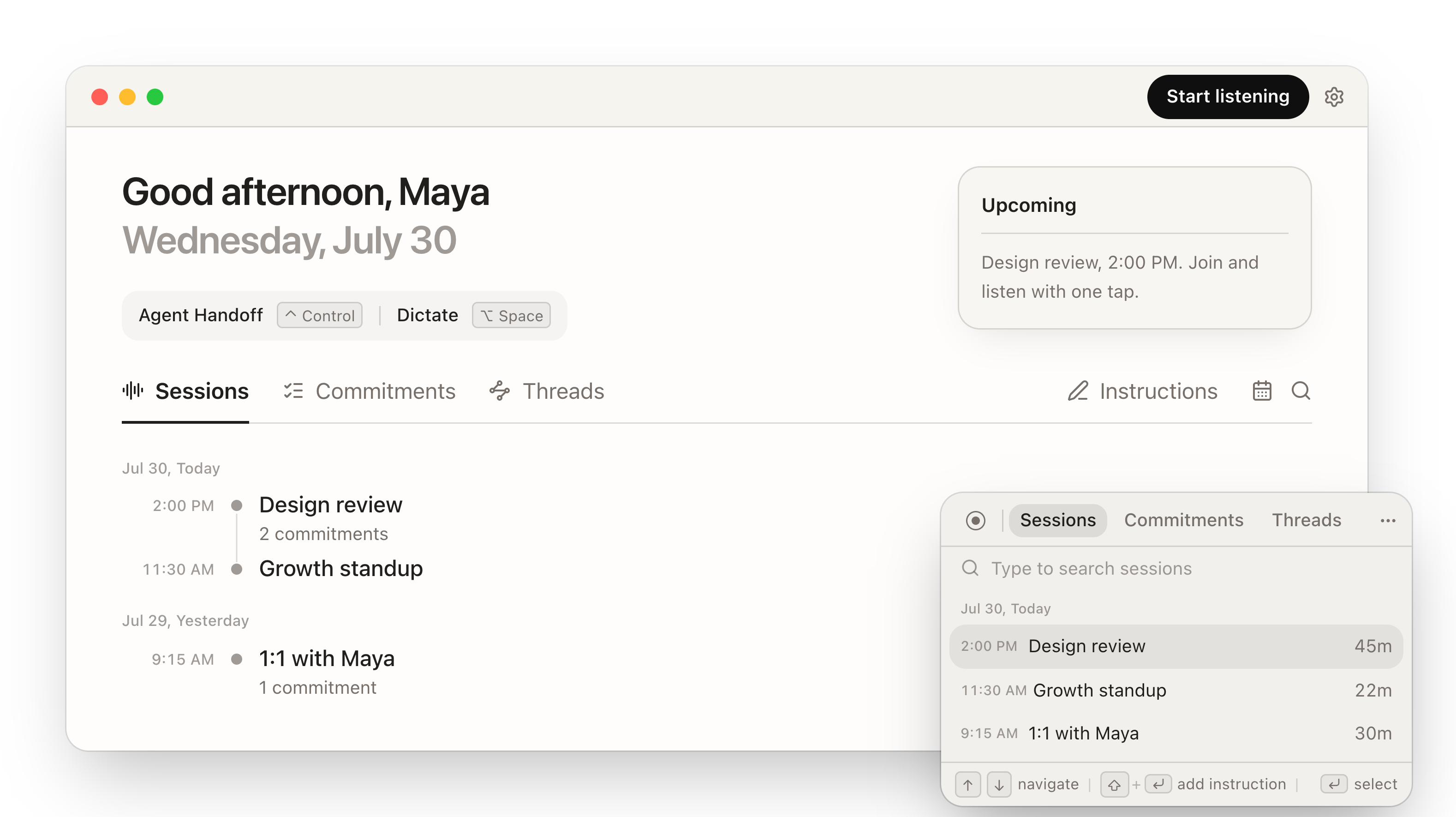
Summon the Picker, pick the session, press Enter. The handoff pastes into whatever agent you use, and over MCP it pulls the whole conversation behind that one line: the transcript, the decisions, the commitments, who said what.
Ask for the follow up and it answers like it heard everything. It did.
Pulled the session from Handov. Where it landed:
Drafting the follow up email now.
Built for your agent, so it works for you
The MCP surface, the search infrastructure, the capture pipeline, and the interface are all designed for one reader: the agent you already use. You stop re-explaining. It starts already knowing.
Agent-first MCP
Typed tools that return text your agent can reason over: transcripts, summaries, commitments, threads. A handoff is one plain line that resolves server side, in any agent.
Agent-first search
Built for how agents recall, not for a search box: by topic, person, or date. Your agent finds the right conversation on the first call.
Agent-first infrastructure
Sessions split themselves, topics group into threads, and summaries are written to be read by agents. Context arrives ready to use, no export step.
Agent-first interface
Every interaction is the shortest path to your agent: one tap to hand off, one keystroke to attach an instruction, Enter to paste.
What you need to do, already written down
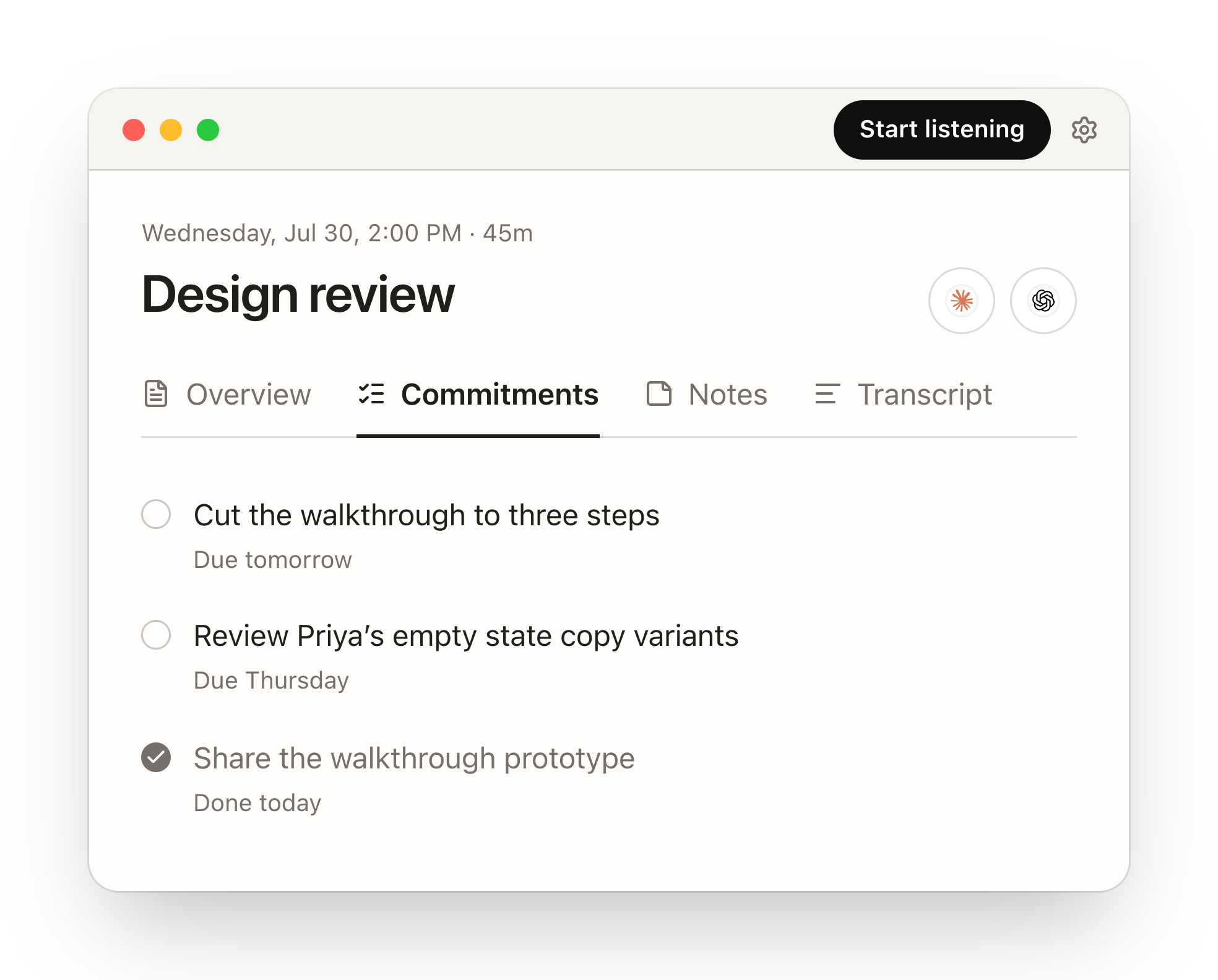
Every session ends as a summary, notes, and the commitments you made, ready to check off or hand to your agent. No prompting and no cleanup.
Topics keep themselves together
When the same project comes up across days of conversations, Handov groups those sessions into a thread on its own. The next handoff carries the whole history, not just today's meeting.
Your favorite agent workflow, saved
The prompts and workflows you repeat, like how your recap is written or where tasks get filed, live in your instruction library. In the Picker, one keystroke attaches one to the handoff you are sending.
Teach it once, then it is a keystroke forever.
Dictation out of the box
Hold a key and talk in any app, and your words land right where your cursor is. Best in class speech to text that polishes every word for you, learning your vocabulary as you go.
Your agent should hear you, not just in the room but every time you talk to it.
Sounds good. Let’s ship the walkthrough on Thursday and keep the tooltip tour for the next release.
State of the art, and still real time
The engine underneath the handoff.
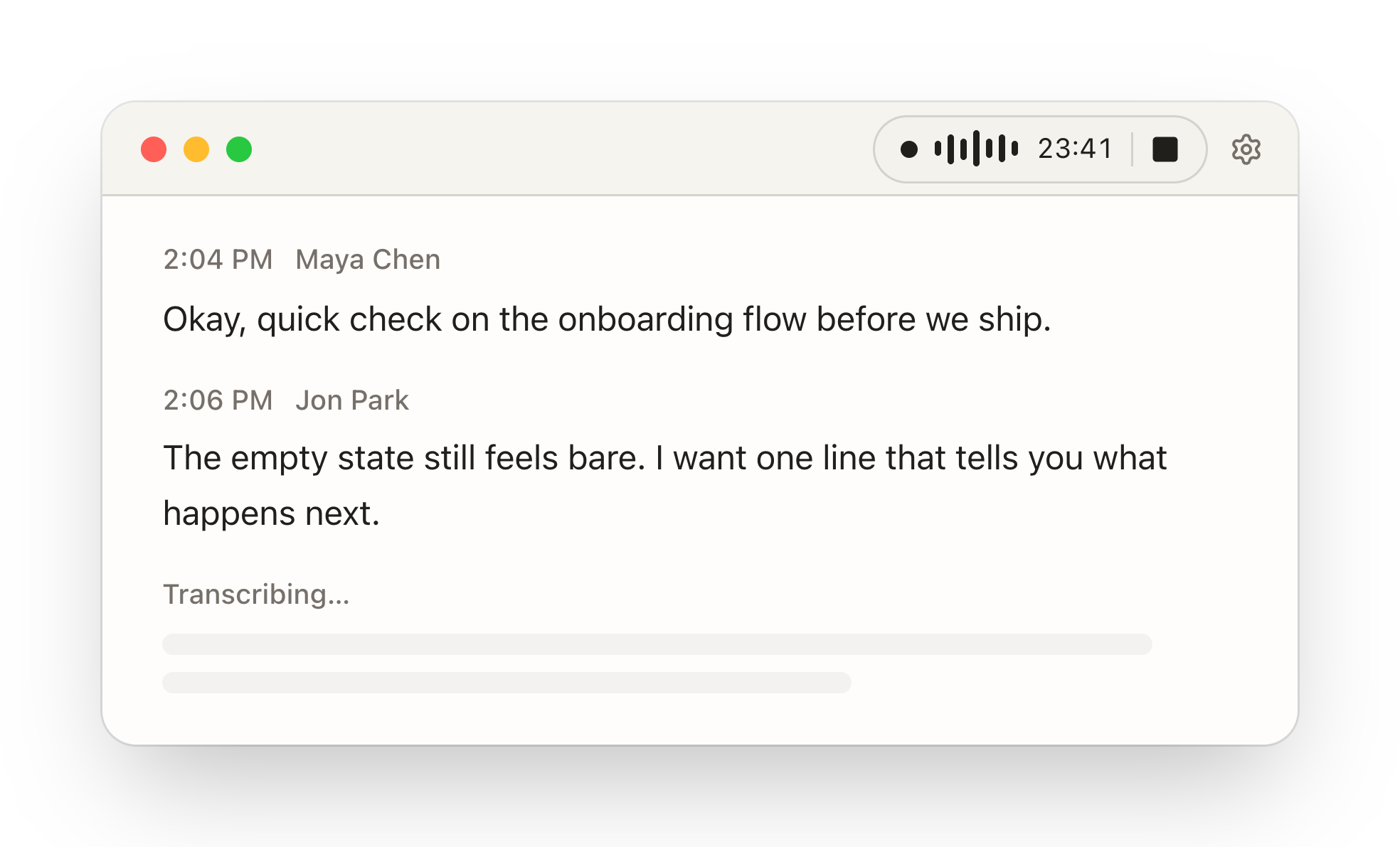
The transcript builds as you talk
Our in-house MiniBatch™ streaming pipeline cuts audio on voice activity, not on a fixed clock, so lines land while the conversation is still moving. State of the art transcription quality, live, in meetings, in person, and in dictation. By the time you tap handoff, there is nothing left to wait for.
Handov learns your name
Name a voice once. Every later conversation keeps the right name on every line, across sessions.
Sessions split themselves
A long day is cut into clean sessions at natural breaks, each with its own summary.
Best in class transcription
Handles accents, technical vocabulary, and rapid conversation with precision.
Agents can write back
Agents file commitments, notes, and threads into Handov, within the access you grant.
Private by default, ready to share
No bot joins your meetings. Capture happens on your Mac.
Agent tools return transcripts and notes, never raw microphone audio.
Agents connect with OAuth. Handov never asks you to paste a token into a chat.
Erase your data or permanently delete your account in Settings.
Questions
Does a bot join my meetings?
No. Nothing joins the call, capture happens on your device. Handov runs as a macOS desktop app. iPhone and Apple Watch are coming soon.
What can my agent read from Handov?
Agent tools return conversations, transcripts, summaries, notes, commitments, threads, images, and session details. They do not return raw microphone audio.
Can my agent change my data?
Only what you allow when it connects. The narrow tier can just create or update private Handov commitments; the full tier can also create, edit, or delete sessions, notes, and threads. To reliably stop a client, revoke its grant in Handov controls.
How do agents connect?
Your AI agents connect over MCP with OAuth sign in. Handov never asks you to paste an access token into a chat.
Can I delete my data?
Yes. You can erase your data or permanently delete your account in Settings. To stop a connected client, revoke its grant in Handov controls; disconnecting inside the client alone can leave the credential active.
Hand off your next conversation.
Get Handov for macOS, then connect your agent over MCP.